

how to create soap webservice in java
Introduction to Webservice in Java
Nowadays, the Internet has become an inseparable thing from our life. We get service from different web applications over the internet via webservices. So, webservice is inevitable for running Internet activities. Here in this article, we will discuss how to create web services using a java programming language. In this topic, we are going to learn about How to Create Webservice in Java.
What is Webservice in Java?
Web service is primarily responsible for communication between different programming languages, which is achieved over the network. For example, PHP can talk with .NET via web services. Basically, it provides inter-language communication through the web. So, those services which are accessible through the network are web services.
But there is another item called a web application that users can also access. But web applications are significantly different from web services in many aspects. Web applications can be accessed using web browsers, and applications are in simple, readable formats. But web services can access data in JSON, XML, etc.
Web services use REST or SOAP protocol, whereas web applications follow HTTPs/HTTP protocols. Basically, Web applications use web services for data acquisitions and operations. Web applications are stateful, which means they may store user sessions, but web services do not.
To summarize, web service and web applications are two different things and serve different purposes.
Types of Web Services
Let us have looked at different types of web services:
1. SOAP
This is basically based on XML, which Microsoft creates. Since a long, Simple Object Access Protocol is a standard for designing and developing web services. XML provides language independence to SOAP. Therefore, client and server applications are of different languages; SOAP can provide seamless service, ensuring their smooth operability for client and server communications.
2. REST
It allows many formats like JSON, XML, etc. This feature gives REST better flexibility. Representational State Transfer (REST) based web services are mostly used nowadays for their simplicity and better integration with web clients. As REST supports JSON, it provides faster and easier parsing than SOAP. Many companies like Google, Amazon, and Yahoo use REST for their web services.
Java Web Services
Java has in-built APIs for SOAP and REST; you can create your own web service by using those. For SOAP, java has JAX-WS. For REST, java has JAX-RS. You can write either JAS-WS or JAX-RS based web services as per your requirements. Both JAX-WS and JAX-RS are integrated with standard JDK so that you do not require external jars to get the required libraries. Web Services Description Language (WSDL) is the language by which java web services can interact with other web services or applications.
1. JAX-WS
For XML Web Services (JAX-WS), Java API is basically a SOAP-based web service in java for client-server applications. As it is based on SOAP, it purely based on XML. It uses various annotations to ease overall build and deploy for web services in the server. Two styles you can follow while writing JAX-WS: Document style and RPC style
2. JAX-RS
Java API for RESTful Web Services is basically a REST-based web service in java for client-server applications. As it is based on REST, it is based on JSON, XML. It also uses various annotations to ease overall build and deploy for web services in the server. Two styles you can follow while writing JAX-WS: RESTeasy and Jersey style.
How to Create Webservice in Java?
Here we will use Eclipse IDE for this. You just need to follow step by step as mentioned below with screenshots to create a simple web service in java.
Step 1: Open eclipse >
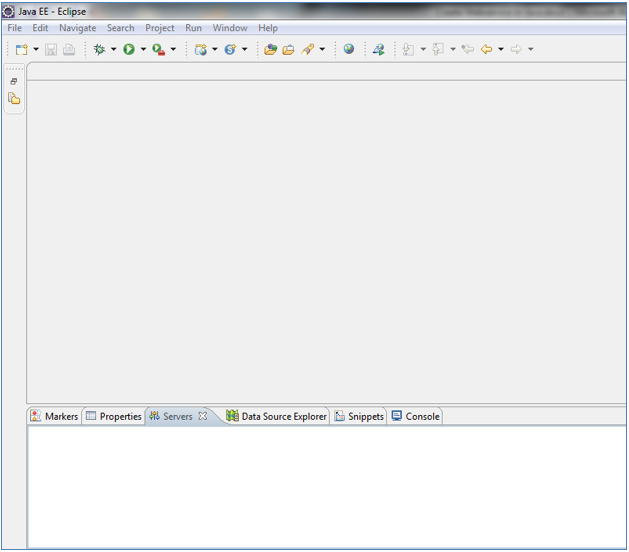
On the server tab, add one server (here I am using tomcat) in which you will run your web services.
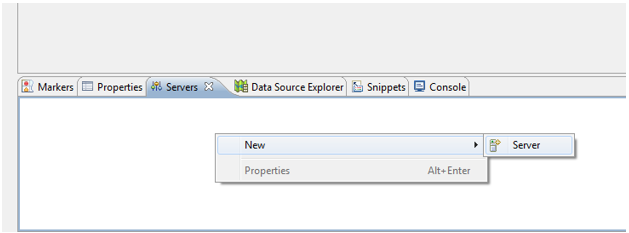
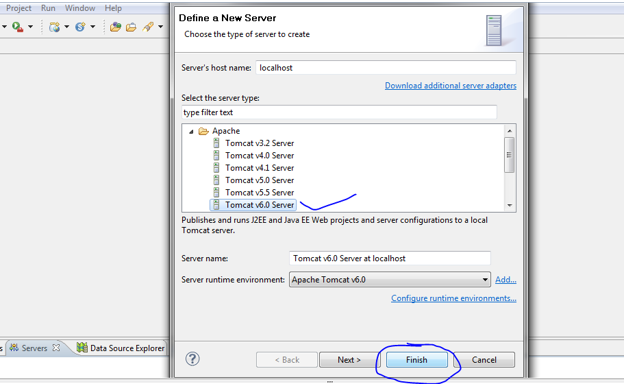
Step 2: Right-click on server tab> New> Server> Select Apache tomcat 6> Finish.
After that, you can see the server is created in the "Stopped" state; we will start the servers before running our application.
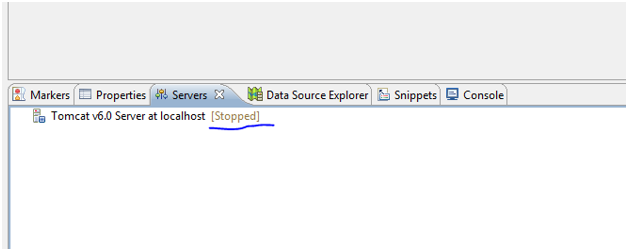
Now we will start our server.
Step 3: Right-click on tomcat > start
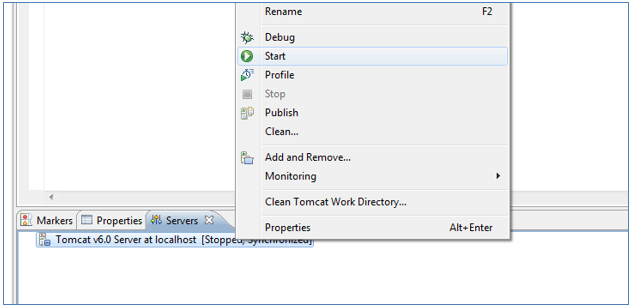
Now we will open project explorer for java EE.
Step 4: Click on restore > you will see project explorer
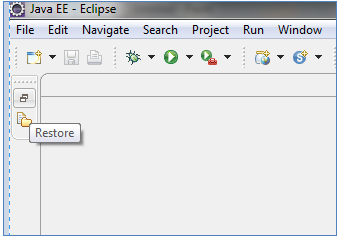
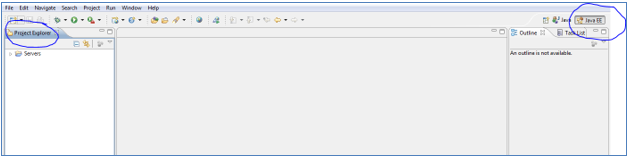
Now we will create our web service.
Step 5: File>New>Dynamic Web Project
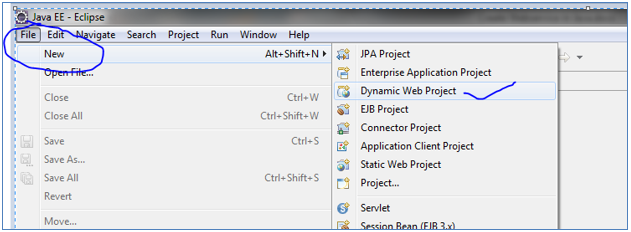
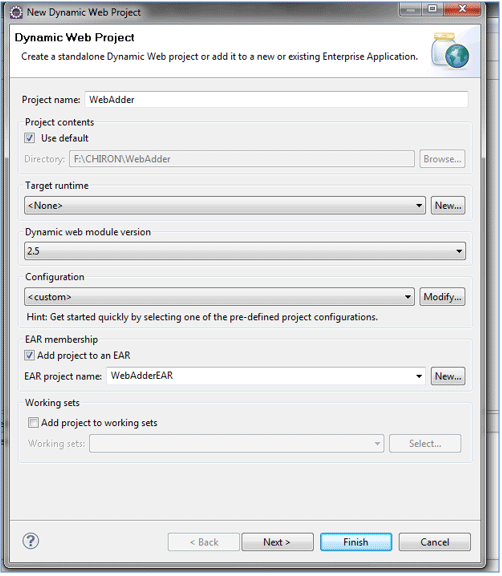
Could you give it a name (here, WebAdder)? Follow the below picture and do exactly the same as what is in there.
Step 6: Click on next> Finish
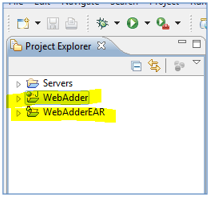
You will see your project is added as below
Now create a class.
Step 7: Right-click on "WebAdder"> New> Class
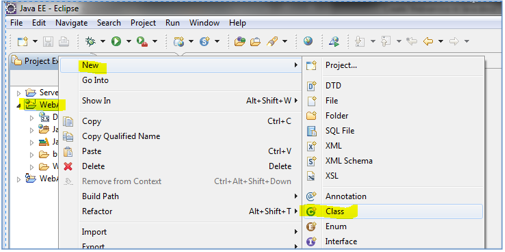
Step 8: Give it a name along with package name as per below picture > FInish.
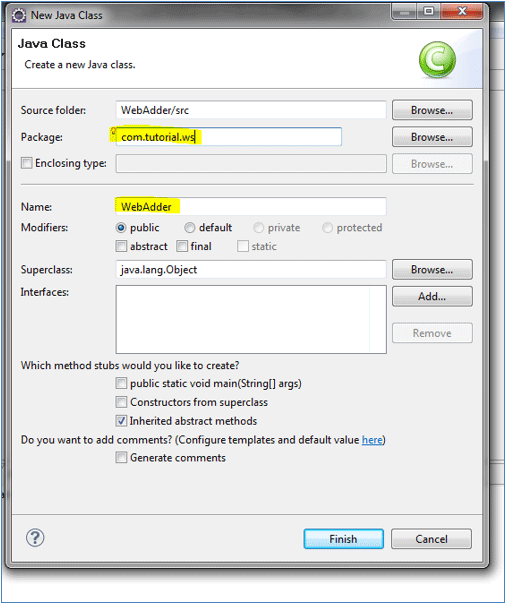
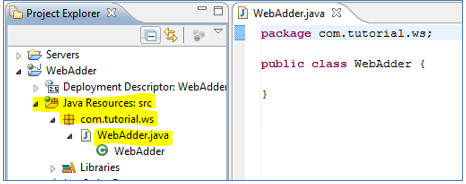
This class will be acting as a web service, so whatever methods we will write inside this class will act as web service methods.
Step 9: Below is the code:
package com.tutorial.ws;
                public class WebAdder {
                public int addition (int nm1, int nm2){
                return nm1+nm2;
                }
                // above method just doing addition
                }
Now we want to make the class and method as a web service; for this we need to do the following:
Step 10: Right-click on WebAdder class> New>Other> Webservice>Next
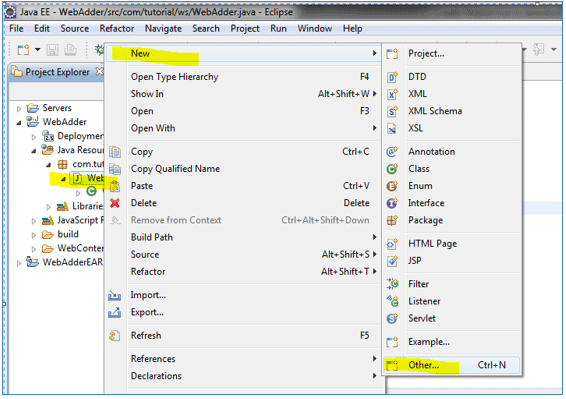
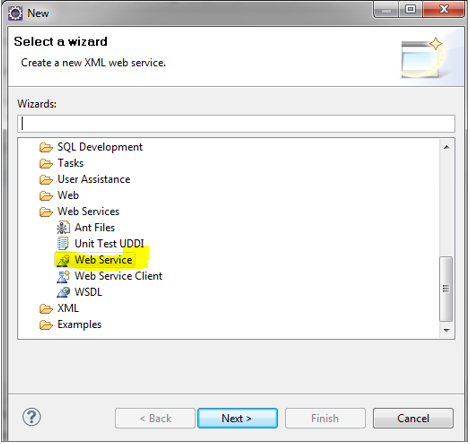
Here in the below screenshot, please pay attention to the highlighted portions; we are here creating clients also to test our web service. Follow the exact things as mentioned in the highlighted portion of the below screenshot and click on "Next."
Step 11: Click on Next> "Finish."
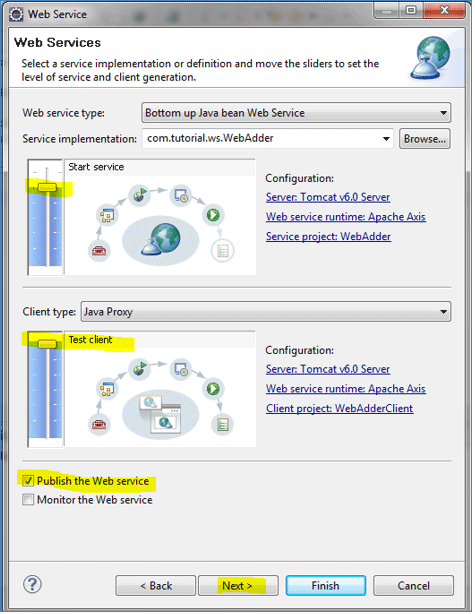
On the next page, as in the below screenshot, you can see that, addition () method becomes a web service method that will go in the WSDL document.
Step 12: Now you can see, your client is running on the server, where you need to click on your web method called "addition",

Step 13: Then, you will see that two fields will come, num1 and num2, to provide user input. Refer to the below screenshot:

Step 14: Give some random integer values to get the result
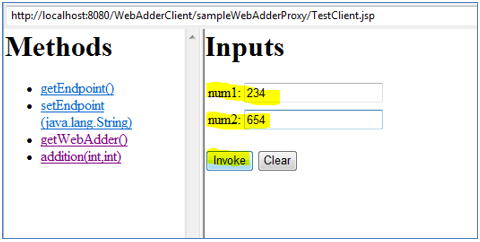
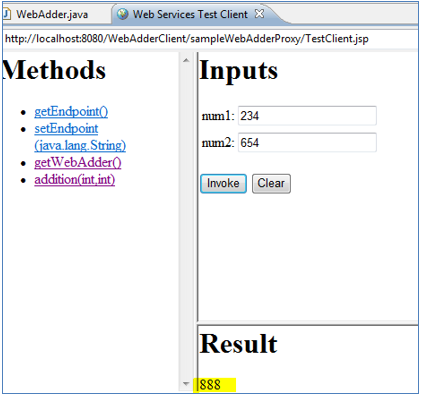
Step 15: After clicking on the "invoke" button, you will see the result. Congrats, you have completed building your first web service in java!
Recommended Articles
This is a guide to How to Create Webservice in Java? Here we discuss what is web services in Java; in the above step by step example, we have shown how to create a web service in java. You may also look at the following article to learn more –
- SOAP Web Services Interview Questions
- Web Services Interview Questions
- Website Services
- Types of Web Services
how to create soap webservice in java
Source: https://www.educba.com/how-to-create-webservice-in-java/
Posted by: williamssionly.blogspot.com
0 Response to "how to create soap webservice in java"
Post a Comment